

Email via cPanel
cPanel is a classic hosting administration panel. If you bought a classic hosting package from a company like HostGator or a similar provider, you very likely get access to cPanel. From there you can create email addresses on your company domain, at no extra cost.
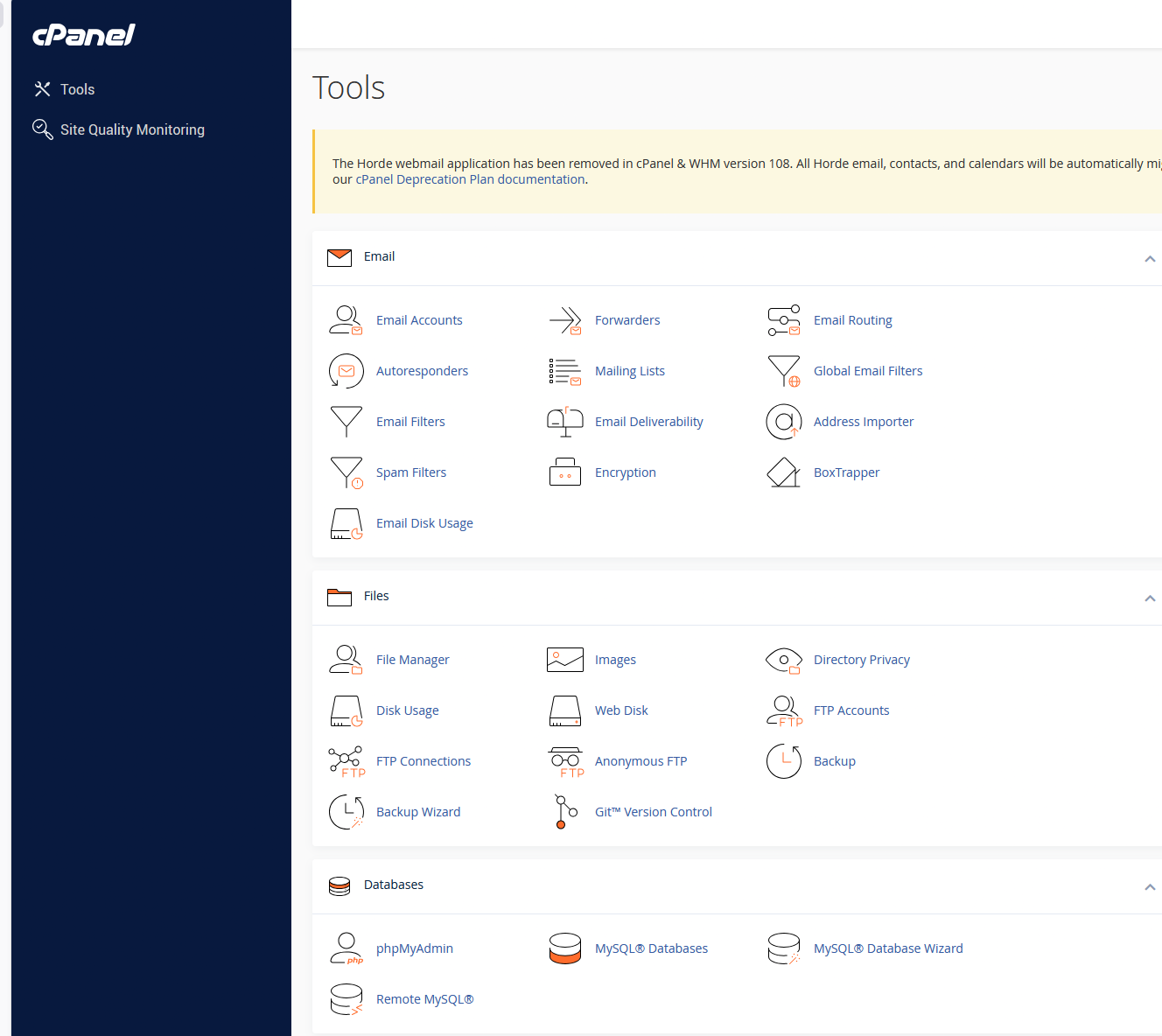
What you'll find in cPanel
cPanel packs many useful areas for running a website and a small company, all in one place:
| Area | What it's for |
|---|---|
| create email accounts, forwarders, filters, autoresponders, spam filters, email routing | |
| Files | file manager, backup, FTP accounts, managing the site's files |
| Databases | MySQL, phpMyAdmin, database wizard |
| Security / SSL | SSL certificates, security settings, basic protections |
| Domains / DNS | managing domains, subdomains and redirects |
| Backup | backups of files and databases |
For someone starting out, the main advantage is that the site, email, files, databases and admin tools all live in the same panel.
Creating an email in cPanel
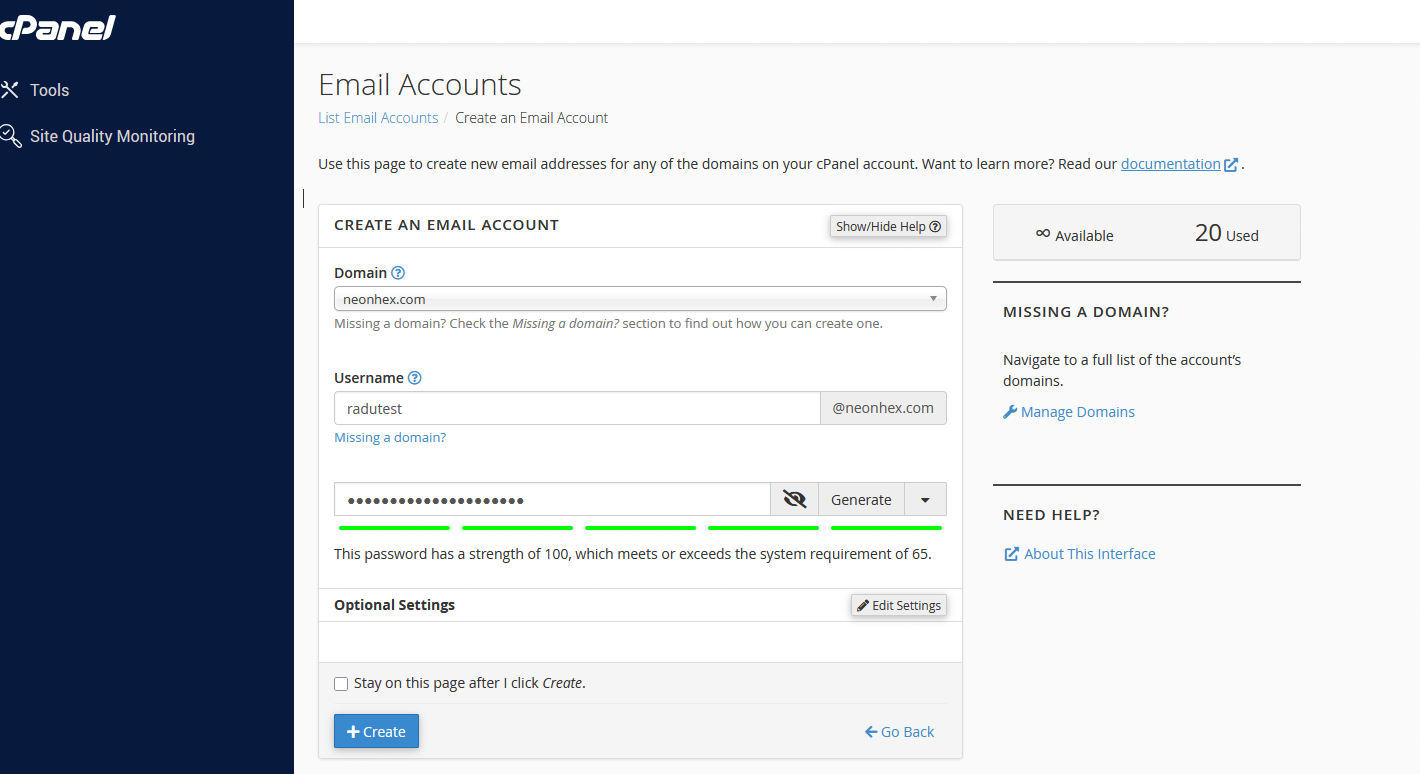
In the Email Accounts area you can create a new address on the company domain. For example:
contact@company.comsupport@company.comoffice@company.comlegal@company.cominvoices@company.com
The process is simple:
- choose the domain;
- type the address name;
- set the password;
- choose the storage allocated to the account;
- create the email.
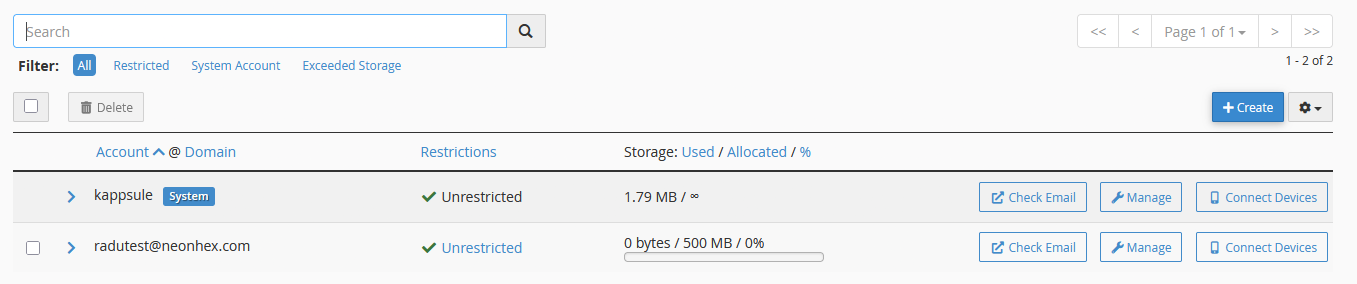
Once the account is created, you see it in the email accounts list. From there you manage it: change the password, check used storage and open the settings for connecting on phone, desktop or external apps.
Connecting the email to a mail client
An email created in cPanel doesn't mean you'll use it straight from the browser. Often you want to connect it to:
- Apple Mail;
- Outlook;
- Thunderbird;
- Gmail (as an external account);
- your phone's mail app.
For that you need settings like: incoming server, outgoing server, IMAP, SMTP, ports, authentication and SSL/TLS. cPanel usually gives you a page with these settings (incoming server, outgoing server and recommended ports).
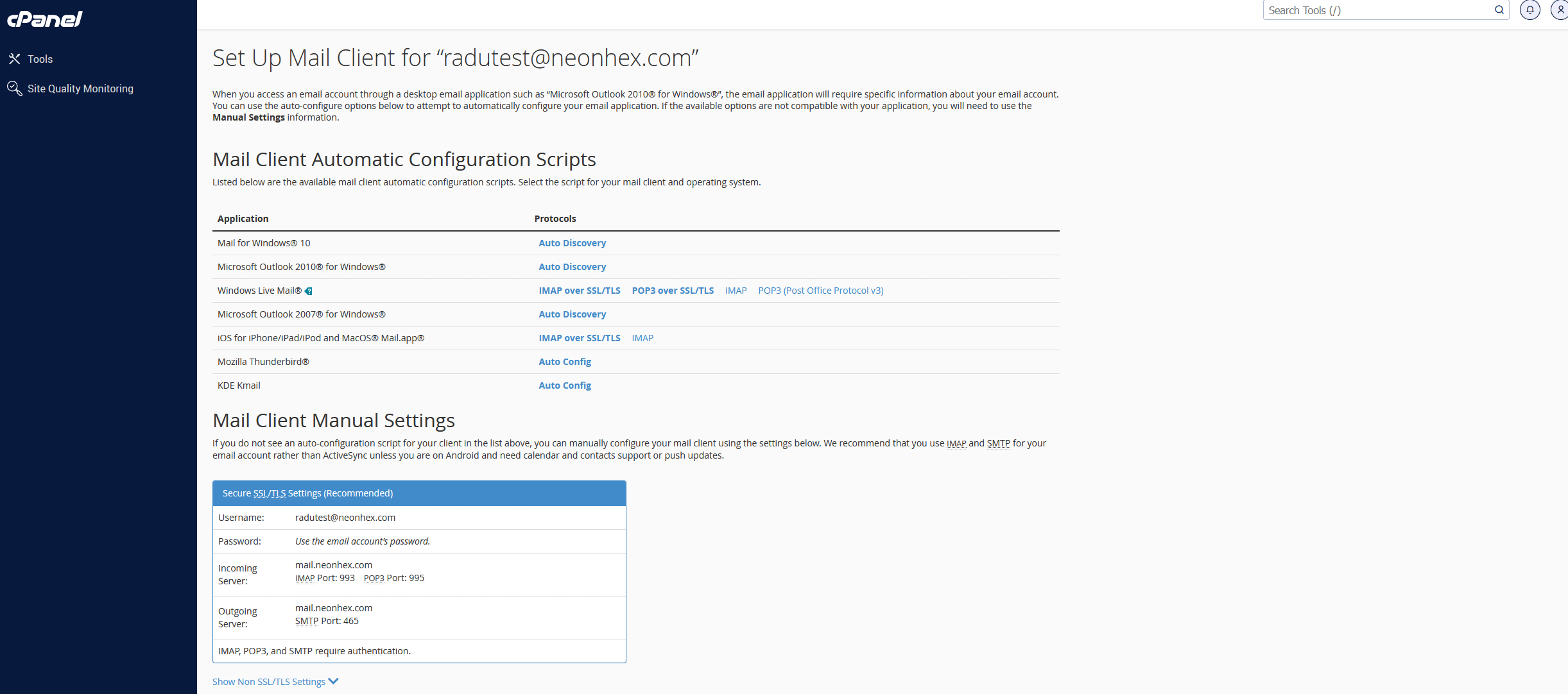
Keep the distinction in mind: IMAP syncs your emails across all devices (recommended today), while POP3 downloads them locally to a single device. For a company, IMAP is almost always the right choice.
Advantages
Email via cPanel can be a good option if:
- you already have classic hosting;
- you want a cheap solution;
- you need a few simple addresses;
- you don't have a large team;
- you don't need complex company infrastructure;
- you want everything in one panel.
Disadvantages
Long-term, email via cPanel can become harder to manage:
- configuring it on phones and apps can be confusing;
- spam / deliverability issues can appear;
- you have to take care of SPF, DKIM, DMARC;
- storage space can be limited;
- if you change hosting, you also have to migrate the emails;
- you don't get the same level of administration as Google Workspace or Microsoft 365;
- for a larger team, management becomes awkward.
Deliverability is the sensitive point. If the SPF, DKIM and DMARC records aren't set up correctly in DNS, emails sent from your company domain can land straight in spam for clients, publishers or platforms. Check them after creating the addresses.
Recommendation
For a small project, cPanel can be enough. For a company that wants to grow, have a team, auditing, company accounts and centralised documents, Google Workspace or Microsoft 365 are usually the more solid options.
If you stay on cPanel, create the company's main address and save it in My Own Company Details.