

Google Workspace
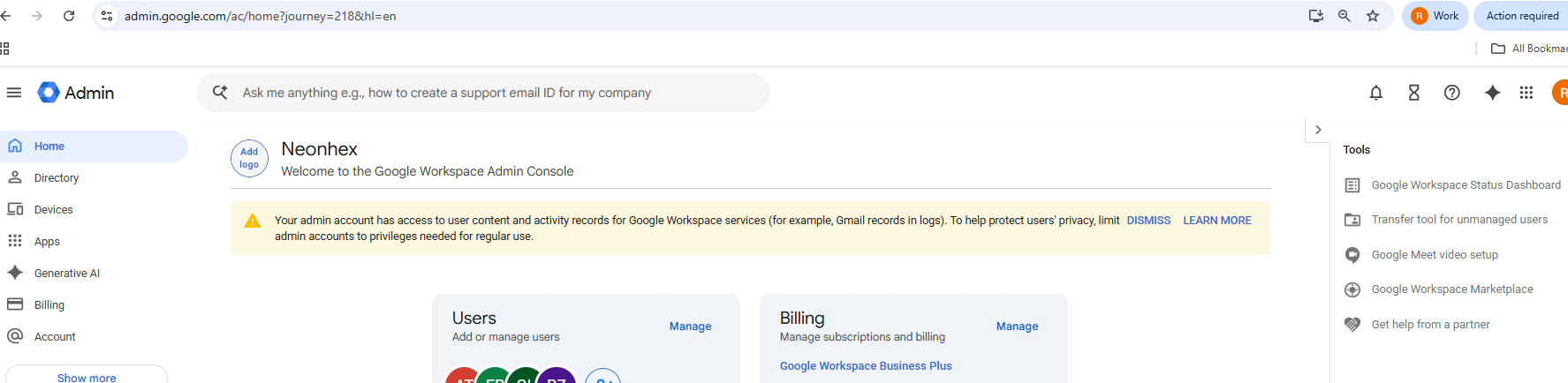
Google Workspace is a paid solution for managing your company's emails and accounts using Google's infrastructure. Instead of a personal name@gmail.com, you get addresses on the company domain:
contact@company.comsupport@company.comlegal@company.comaccounts@company.comradu@company.com
The important difference is that these accounts are owned and administered by the company, not just personal accounts used for business.
Why company ownership matters
For a game studio, account ownership is very important. If you create important accounts on personal emails, risks appear:
- the account stays tied to a person, not the company;
- it can be hard to transfer if the person leaves;
- at an investment, acquisition or due diligence, the structure looks less professional;
- access to important platforms becomes hard to audit;
- if you lose access to a personal email, you can lose access to critical accounts.
With Google Workspace, accounts are created in the company's organisation: the company can manage access, create users, suspend accounts, transfer ownership and keep control of its digital infrastructure.
Don't tie critical platform accounts to a personal Gmail. At an audit, investment or acquisition, it's much cleaner to show that important platforms are connected to company emails, not personal addresses.
Examples of accounts where it's good to use a company email:
- Apple Developer;
- Google Play Console;
- Steamworks;
- Epic Developer Portal;
- publisher accounts;
- ads and analytics accounts;
- project management tools;
- financial tools;
- hosting and domain services;
- support platforms.
Adding users
In Google Workspace you can create users for team members. Each gets an address on the company domain and access to the configured Google services.
The general process:
- open the Google Admin Console;
- go to Users;
- choose Add new user;
- fill in the first name, last name and desired address;
- set the password or send sign-in instructions;
- the user gets access to the company account.
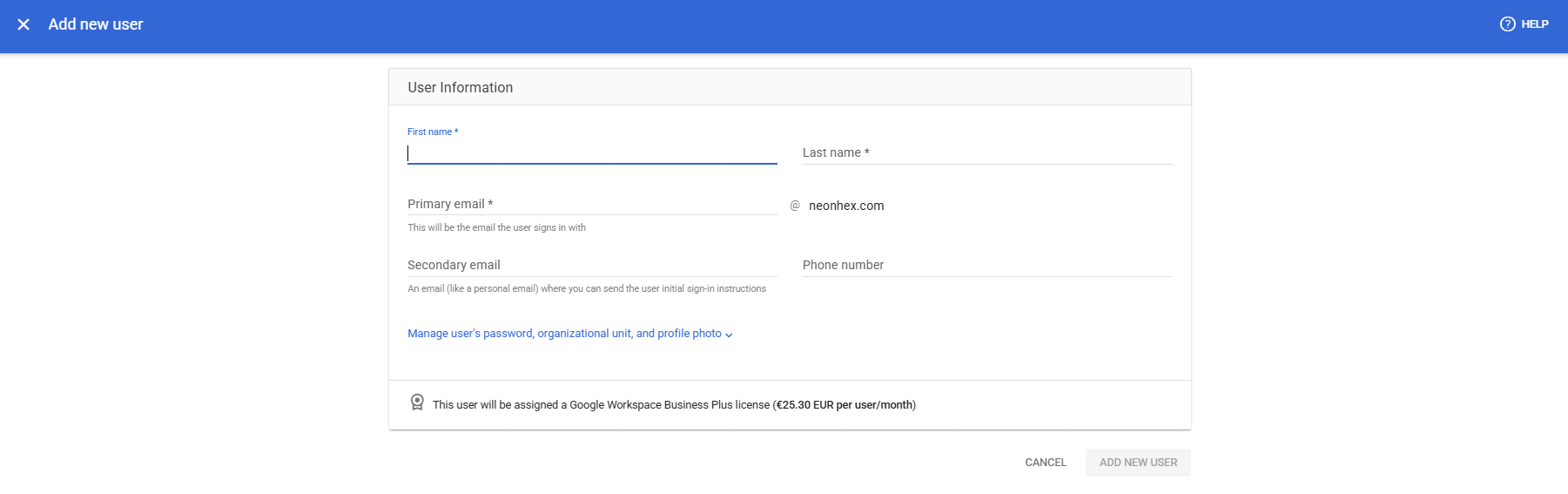
This helps a lot when you have several people in the company: no more mixing personal accounts, everyone has a company account, and access is managed centrally.
Groups: shared addresses without a separate account
An important advantage is the Groups system. You can create addresses like contact@, support@, legal@, invoices@, jobs@, security@ that work as groups and forward emails to one or more people:
invoices@company.com→ administrator and accountant;support@company.com→ the support person;legal@company.com→ founders and lawyer;jobs@company.com→ the recruiting people.
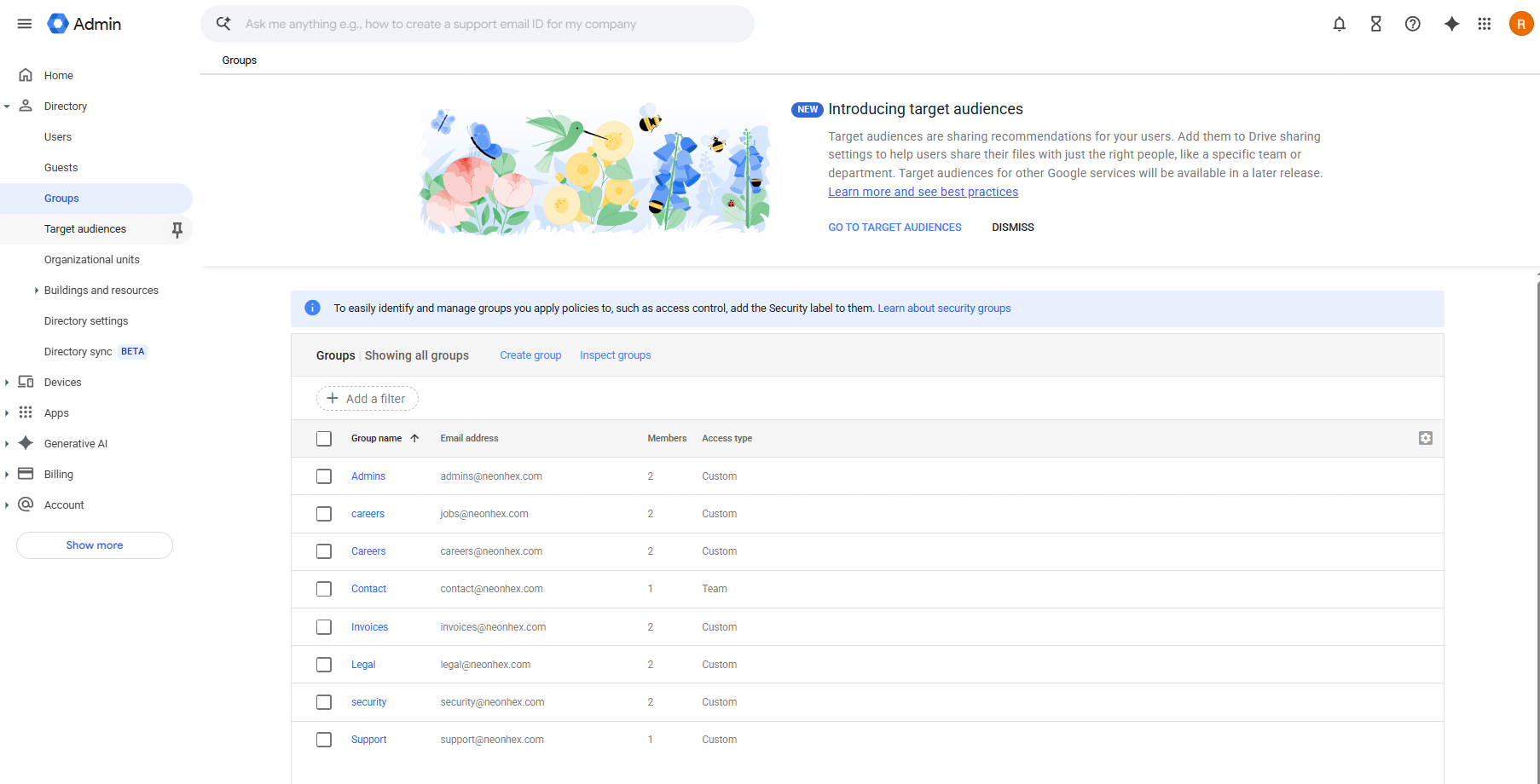
You don't have to pay for a separate user for every generic address. Use groups for the company's functional addresses and real users only for the people on the team.
Devices and company administration
Google Workspace can also manage devices or users' access to services. For a small company it can feel like overkill at first, but it becomes useful as the team grows. You can manage:
- who has access to email and Drive;
- what users and groups exist;
- what devices are connected;
- what services are available;
- what accounts must be suspended if someone leaves.
For a studio with contractors, collaborators or employees working with sensitive files, this matters a lot.
Company Google Drive
Another major benefit is Google Drive. For a game company you can have folders for contracts, invoices, builds, assets, pitch decks, documentation, GDDs, marketing, legal, HR, funding and reports.
The important difference: files are organised under your company, not scattered across personal accounts. If an employee or collaborator leaves, the important documents stay in the company's infrastructure, they don't leave with their account.
Google Workspace vs cPanel
| cPanel | Google Workspace | |
|---|---|---|
| Cost | usually included in hosting | monthly, per user |
| Setup | quick, from one panel | more complex (domain verification + MX/DNS) |
| User administration | limited | centralised, full |
| Company Drive / docs | no | yes (Google Drive, Docs) |
| Email groups | simple forwarders | dedicated Groups |
| Audit / ownership | weaker | clear, on the company organisation |
| Deliverability | up to you (SPF/DKIM/DMARC) | handled by Google |
| Suited for | small projects, small budget | teams, growth, serious partners |
The real downside: the monthly per-user cost and a more complicated initial setup, especially domain verification and configuring the MX / DNS records. See Domain for the DNS part.
Practical recommendation
For a very small company at the start, cPanel can be enough. For a studio that wants to grow, publish on major platforms and work with international partners, I'd recommend Google Workspace or Microsoft 365.
I personally chose Google Workspace for my company: it helps not just with email, but also with the company Drive, user management, groups, documents and clear ownership of the company's infrastructure.
Once you've set up Workspace and verified the domain, save the official address in My Own Company Details.